
Definitely learned a new thing or two with this box. Anyway, let’s fire off nmap:
Okay… so let’s go look at port 4386 to try to see what it is.
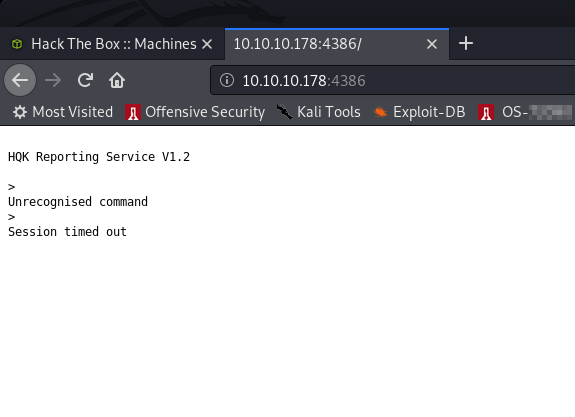
HQK Reporting Service? Erm. Ok. Port 445 was open so let’s run smbclient to list the shares and smbmap to list the contents:
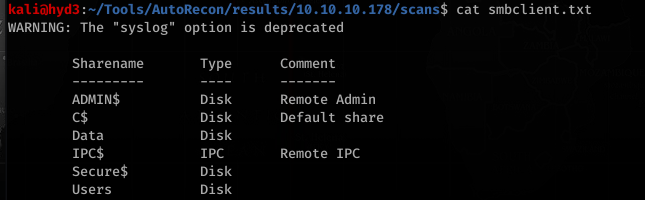
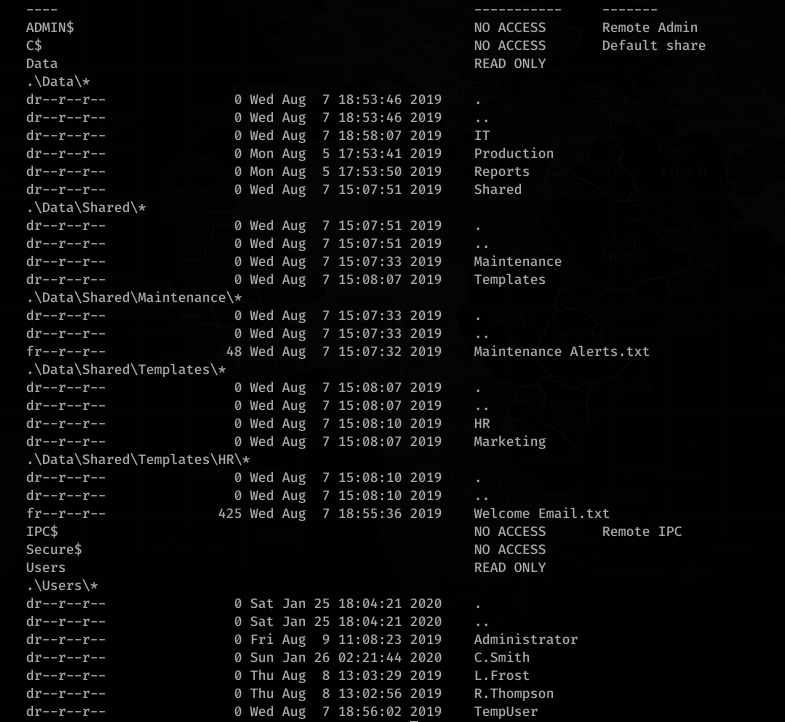
What’s in Welcome Email.txt?
Cool. So we got a password. No… don’t go trying to use it just yet. Continue enumerating.
Looking at NotepadPlusPlus config.xml:
Looking at RU_config.xml:
… and that’s why we continue to enumerate FIRST.
Okay so, trying the creds that we’ve found so far… we figure out a couple things.
TempUser can get access with welcome2019
So can L.Frost!, but L.Frost can only login with welcome2019, not list shares for some reason (access denied)
Same with R.Thompson…
User: C.Smith and Password: fTEzAfYDoz1YzkqhQkH6GQFYKp1XY5hm7bjOP86yYxE= can list contents in Secure$\IT\Carl\ directory with TempUser
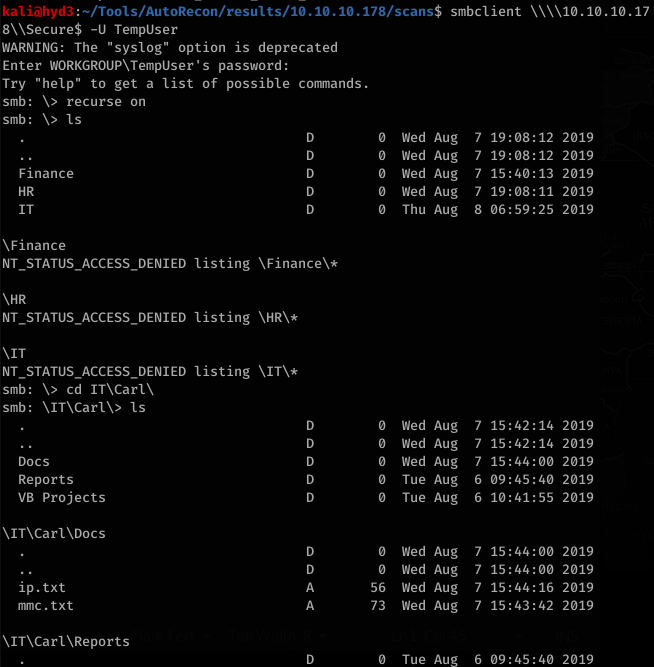
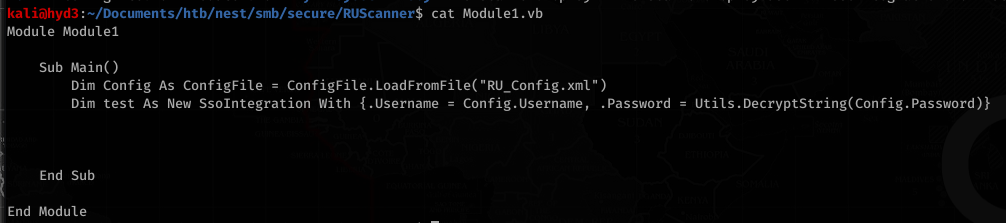
With the encrypted password, RUScanner had vb files (Module1.vb) with an example of how to decrypt the password
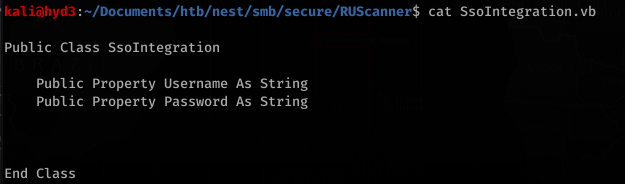
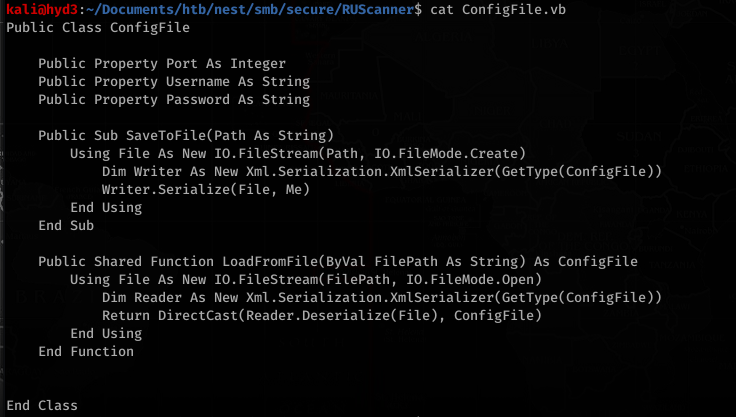
Utils.vb had the actual code to decrypt the password
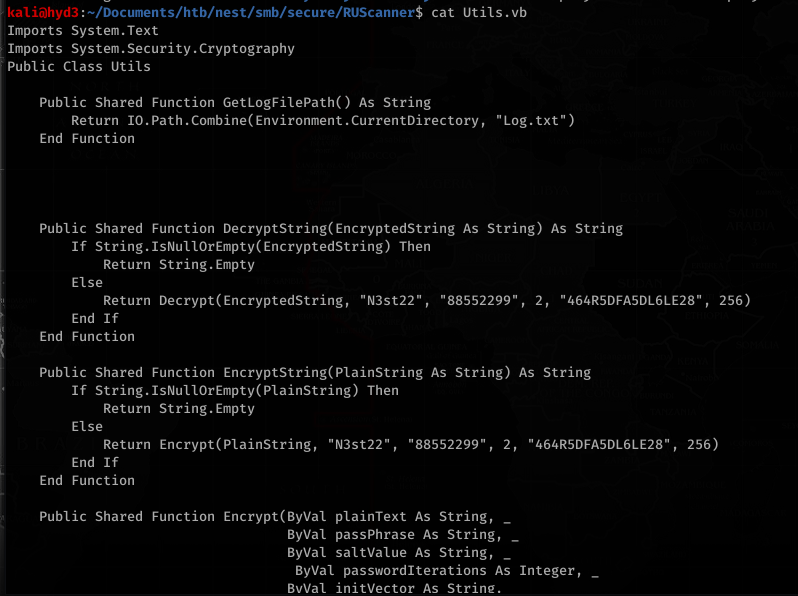
So I needed a nudge on this because this is all REALLY out of my brain capacity (but wouldn’t be for long!)… this involved A LOT of trial and error:
Cutting and pasting the code on .net Fiddle (https://dotnetfiddle.net) and removing all the unnecessary (non encrypting related functions) and adding Imports System at the top (to get rid of the errors and import necessary classes/modules/etc to make the code work) and adding Console.WriteLine(plainText) before the decrypt function returns gave us this code:


That last portion was used to just decrypt the actual string that we found earlier. This returned the password:

The password is: xRxRxPANCAK3SxRxRx
Using this, we can try to access the share with C.Smith’s username:
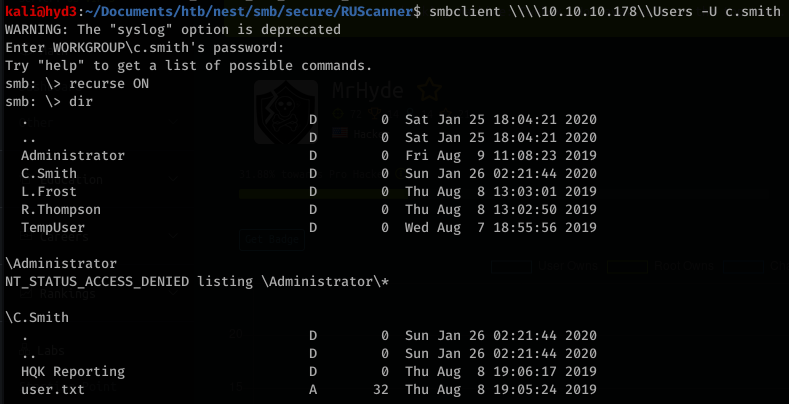
We can then just download user.txt and read it:

Now onto root. Looking around, we see some interesting files in HQK Reporting
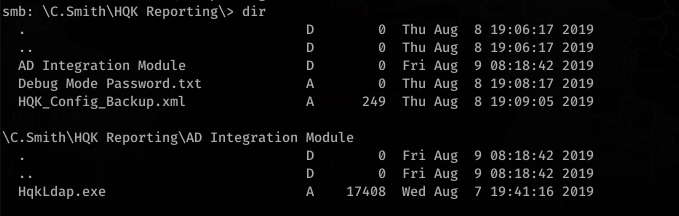
HQK_Config_Backup.xml contents:
Looking a bit at Debug Mode Password.txt, it looks interesting. After looking for hours, I remembered about using alternate data streams to hide stuff in files.
![smb:
alt-name: DEBUGM-I.TXT
create time:
access time:
write time:
change_time:
Thu Aug 8
Thu Aug 8
Thu Aug 8
Thu Aug 8
allinfo
PM
PM
PM
PM
bytes
"Debug Mode Password . txt"
2019 EDT
2019 EDT
2019 EDT
2019 EDT
-attributes: A (20)
stream: [ : :$DATA], bytes
stream: [ : Password : $DATA] ,
15](https://hyd3.home.blog/wp-content/uploads/2020/06/image-61.png?w=605)
Interesting… so there’s a stream called Password!


Okay, so we know this is associated with the HQK service on port 4386. Let’s try to telnet with these creds:
Reading the manual for HQK Reporting Service, we can figure out the commands used to enumerate what is on the service.
![>SETDIR .
Current directory set to HQK
>LIST
Use the query ID numbers below with the RUNQUERY command and the directory names with the SETDIR co
man d
QUERY FILES IN CURRENT DIRECTORY
[DIR]
[DIR]
[DIR]
[1]
[2]
[3]
ALL QUERIES
LDAP
Logs
HqkSvc . exe
HqkSvc . InstallState
HQK_Con fi g. xm1
Current Directory: HQK](https://hyd3.home.blog/wp-content/uploads/2020/06/image-66.png?w=803)
![Current
>SETDIR
Current
>list
Use the
man d
Directory: HQK
LDAP
directory set to LDAP
query ID numbers below with the RUNQUERY command and the directory names with the SETDIR co
QUERY FILES IN CURRENT DIRECTORY
[1]
HqkLdap. exe
[2]
Ldap. conf
Current Directory:
LDAP](https://hyd3.home.blog/wp-content/uploads/2020/06/image-67.png?w=799)
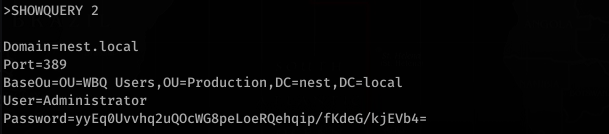
To be continued…

 hyd3sec's Blog